7 Unique AI Connectors That Save 15-20 Hours of Work Per Week
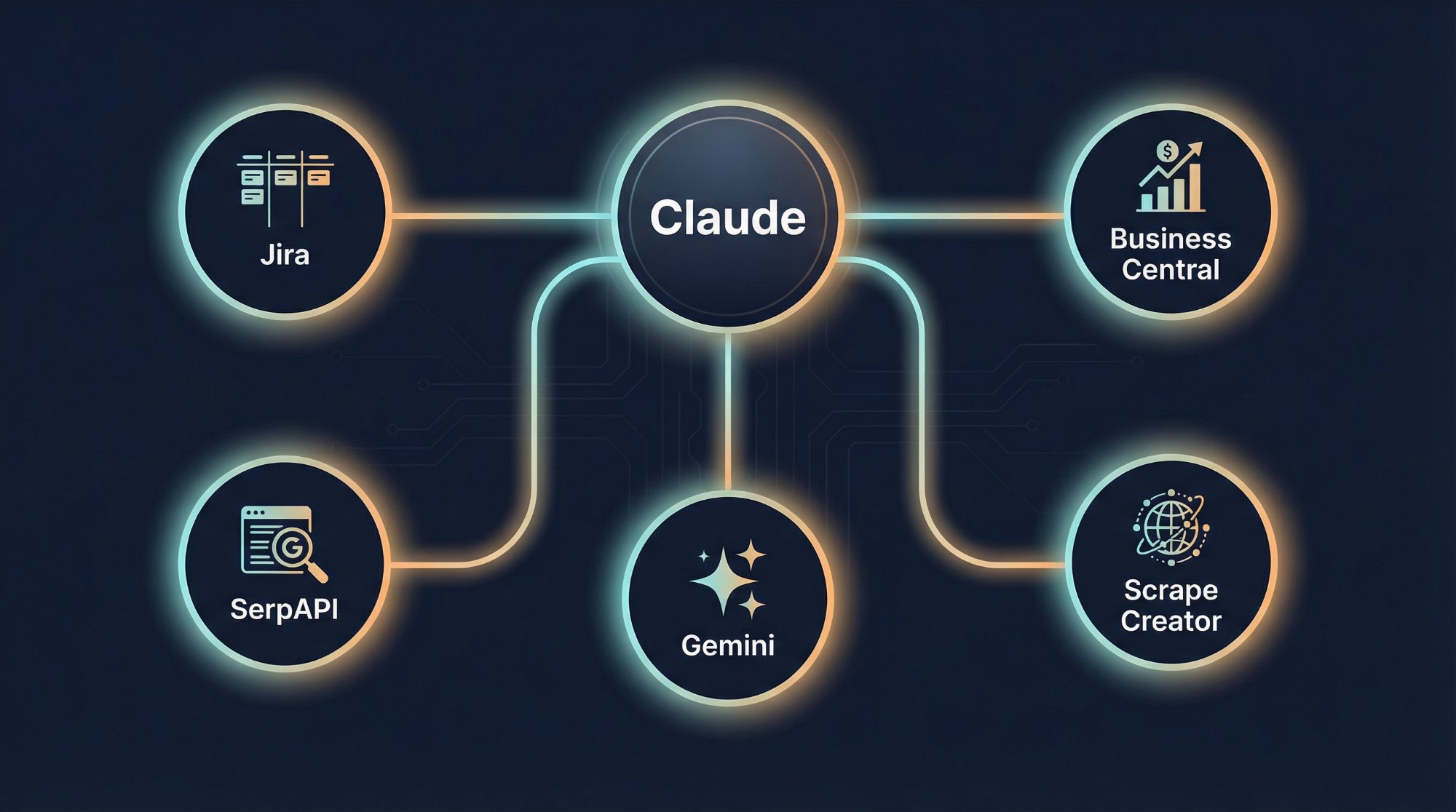
I built seven custom MCP connectors that save me 15–20 hours of work each week. I didn’t wait for someone else to do it—I did it myself.
When I started taking a more serious look last year at how to use an AI assistant as a real business tool, I quickly realized one thing: ChatGPT and Claude are smart on their own. But they’re deaf and blind—they can’t see into my company’s systems, they can’t write on my blog, they can’t see Jira tickets, and they have no idea about our financial data.
It's kind of like hiring a brilliant consultant but not letting them into the office.
That’s why I started building my own MCP connectors. MCP (Model Context Protocol) AI connector technology is Anthropic’s open standard, which allows AI to not only converse—but also take action. It queries, writes, modifies, and aggregates data. In real-world systems, using real data.
I currently have seven custom connectors running in production, hosted on Cloudflare Workers. Each one solves a specific business problem. In this article, I’ll walk you through them: what they do, what services they provide, how I use them, and how much they save me.
AI isn't a chatbot. AI should be a functional component—integrated into existing systems.
1. Atlassian connector (Jira + JSM + Tempo)
It directly queries our Jira projects, JSM service desk tickets, and Tempo worklog data. It filters by status, project, date, and assignee. It generates an Excel export.
Services available via the API
Jira: Listing projects, performing JQL searches with any filters, and retrieving details of specific tickets.
JSM (Jira Service Management): list of service desks, querying rows and their tasks, list of open requests, SLA metrics for individual tickets, batch SLA querying for up to 20 tickets at a time.
Tempo: Work logs for a specific period, work logs by user, work logs associated with tickets, list of teams and team members, team-level work log summary, recording new work hours, deleting work logs.
“How many open tickets are there in the SSP project, and who is responsible for them?” — The summary will be ready in 30 seconds. “Create a weekly utilization report for the Cloud team” — The Excel file is ready.
Previous workflow: Log in to Jira → set filters → export → format in Excel → create a pivot table → compile a report. It took at least 45–60 minutes.
Time saved: ~3–4 hours per week
2. Business Central ERP Connector
It provides access to our Microsoft Dynamics 365 Business Central ERP system. Through 28 dedicated API endpoints, it queries, filters, and aggregates data—virtually anything available in the ERP.
Available services (28 endpoints)
Master data: list of companies (manages up to 12 companies at a time), customers, suppliers, items/products, employees, bank accounts, dimensions, currencies, exchange rates, payment terms, VAT zones.
Sales: sales invoices with fulfillment dates, quotes, sales orders, credit memos.
Purchasing: purchase invoices, purchase orders.
Cash flow: customer payments, supplier payments, journals.
Financial reports: balance sheet, income statement, general ledger extract, past-due accounts receivable, past-due accounts payable, account summary, general ledger entries.
Advanced: Call any OData endpoint; automatic pagination for up to 20,000 records.
An ad hoc financial question: 30 seconds instead of 15–30 minutes.
Time saved: ~2–3 hours per week
3. WordPress Connector
Publish, edit, and manage blog posts directly on my website, viktorszekeres.com. Create posts, manage categories and tags, and browse the media library—all with a single command.
That's exactly what's happening right now: I published this article that way, too.
The process of copying, pasting, formatting, categorizing, optimizing for SEO, and publishing on the WordPress admin panel—which used to take 15–20 minutes—now takes just 10 seconds.
Time saved: ~1–2 hours per week (for 2–3 posts per week)
4. SerpApi connector
It retrieves Google search results in a structured, machine-readable format: organic results, "People Also Ask," "Related Searches," Knowledge Graph, Featured Snippets, Google News, and Google Trends data.
A topic search takes 2 minutes instead of 30–60 minutes.
Time saved: ~2–3 hours per week
5. Scrape Creators connector — 87 endpoints, 6+ platforms
It accesses social media data through 87 API endpoints: LinkedIn profiles and companies, YouTube videos and transcripts, trending TikTok content, Instagram engagement metrics, Twitter/X search results, Facebook pages, Reddit posts, Product Hunt, and Google Maps reviews.
A single command instead of a 45- to 90-minute social listening session.
Time saved: ~2–3 hours per week
6. Google Gemini Connector
Call Google Gemini models directly within Claude—get a second AI opinion with a single command. Gemini 2.5 Pro and Flash, full context passing, system commands, and native image generation.
A cross-check takes 30 seconds instead of 5–10 minutes.
Time saved: ~1–2 hours per week
7. Kie.ai Image Generator connector
Provides access to 5 different AI image-generation models through a single interface: Gemini 3 Pro Image, Gemini 3.1 Flash, Flux Context Pro and Max, and GPT-Image-1. Automatic model selection based on the task.
Time saved: ~1–2 hours per week
The bottom line: a monthly savings of 60–80 hours
When I add up the combined impact of the 7 connectors, I save 15–20 hours a week on administrative and research work. That amounts to 60–80 hours a month—or roughly two full workweeks.
The real value isn’t just the time saved. It’s that the tasks I used to put off until “I have time” now take only 2–3 minutes. I make better decisions because I have more data at my disposal.
This isn't science fiction—it's available technology
All of this runs on Cloudflare Workers, uses Anthropic’s MCP standard, and any company can do it. You don’t need your own AI model, and you don’t need a million-dollar infrastructure. What you do need is:
- A Claude Max subscription
- A Cloudflare account (the basic tier is free)
- API access to existing systems (Jira, ERP, WordPress, etc.)
- A few days of development per connector
The biggest obstacle isn’t the technology. It’s that people still think of AI as a “chatbot”—rather than integrating it into their existing systems as a functional component.
I didn't want to make that mistake.
Frequently Asked Questions (FAQ)
What is an MCP connector and what is it used for?
The MCP (Model Context Protocol) connector enables AI to communicate directly with enterprise systems—Jira, ERP, CRM, and email. No need to copy and paste: the AI agent queries, updates, and reports automatically.
How much does it cost to implement AI automation?
A Cloudflare Workers-based MCP connector runs for $5–$20 per month in infrastructure costs. The biggest investment is in design and prompt engineering—not the software.
What types of enterprise systems can be integrated with AI?
Virtually anything with an API: Jira, Business Central ERP, Microsoft 365, Outlook, WordPress, Google services. At Gloster, we have 7 connectors in production with data from 12 companies.
Do you need to know how to program to use AI automation?
Not for basic AI use. But yes, for building custom connectors and agent-based workflows—or you’ll need a technology partner to build them. No-code platforms (Zapier, Make) are more limited but are a good place to start.
Related articles
Further details on the MCP connector ecosystem:
- How I Automated Email Sending Using Claude and Cloudflare — A Detailed Technical Overview of the Outlook Email Connector
- The AI that does the groundwork before every meeting — combining 8 data sources into a single meeting-prep skill
- We no longer build chatbots—we build a digital workforce —The agentic AI strategic framework behind the connectors